Digital Signage for Small Business: Hardware, Software and Costs
How to set up digital signage for a small business: choosing screens and media players, signage software, content that works, installation and the real costs.

Digital signage media players compared: built-in SoC displays, dedicated players, Android and ChromeOS devices, Windows PCs and Raspberry Pi, and how to choose.
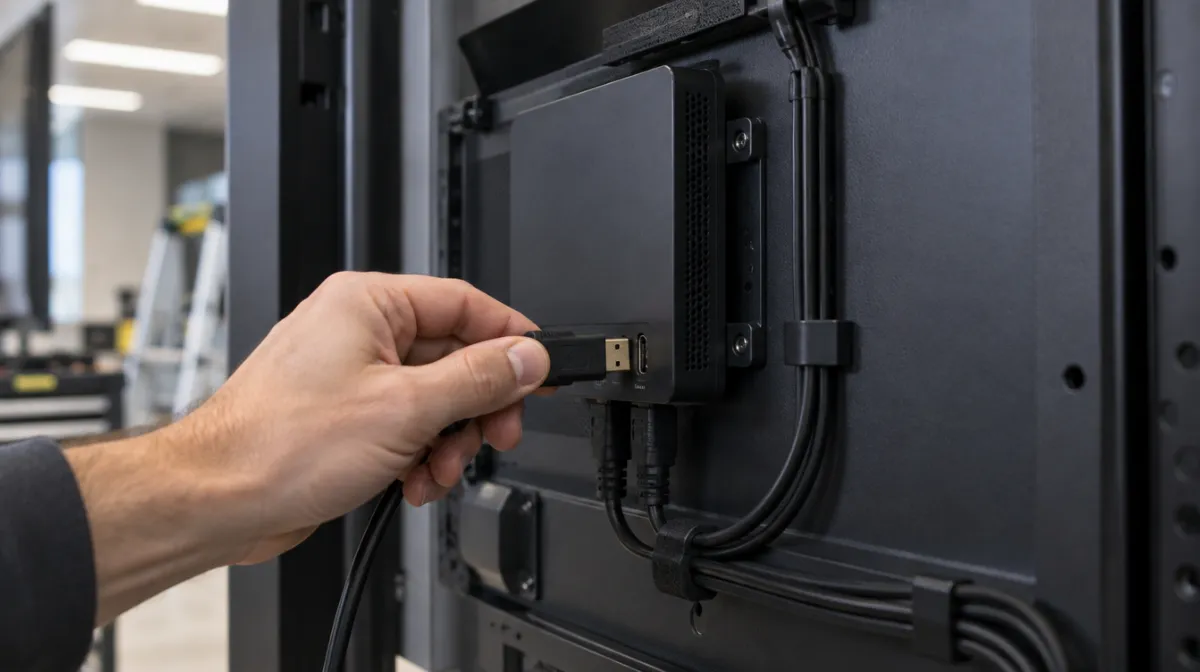
Every digital signage screen needs something to play the content. That’s the media player: a small computer, either built into the display or plugged in behind it, that stores your content, plays it on schedule and connects to your content management system (CMS). The main options are system-on-chip (SoC) displays with a player built in, dedicated signage players, Android and ChromeOS devices, Windows PCs and Raspberry Pi boards. The right choice depends mostly on your CMS, your content and how many screens you manage.
| Type | Pros | Cons | Best for |
|---|---|---|---|
| SoC (built into the display) | No extra box, fewer cables, lower cost | Performance and apps tied to the display; replacing the player means replacing the screen | Menu boards, standard signage |
| Dedicated signage players | Built for 24/7 use, reliable, strong video playback and sync | Higher cost per unit | Multi-site retail, video walls, premium brands |
| Android signage boxes | Affordable, wide CMS support | Quality varies; check security updates | Small businesses, basic networks |
| ChromeOS devices | Centrally managed, secure, web-based content | Need management licences; web content focus | Organisations already using Google tools |
| Windows mini PCs | Run almost anything, including custom apps | Higher cost, more maintenance and updates | Interactive kiosks, complex content |
| Raspberry Pi | Very cheap, flexible | Needs technical skill; limited for heavy 4K video | Pilots, tech-savvy teams |
| Consumer streaming sticks | Cheap and easy | Not designed for 24/7 commercial use | Simple, low-risk trials |
| USB playback | No network needed | Manual updates, no monitoring | One screen with static content |
Your signage software decides which players you can use. Most CMS platforms list supported devices, and some sell their own. Choose the software and player together; our guide to digital signage software compared covers the main options, and digital signage for small businesses explains how the pieces fit together.
Look beyond the price of the box:
An SoC display may cost less upfront, but a separate player lets you upgrade the brains without replacing the screen. Our guide to digital signage ROI helps weigh costs against results.
Signage players are network devices, and a compromised screen can show embarrassing content or give attackers a foothold. The National Cyber Security Centre’s general device advice applies:
| Use | Suggested player |
|---|---|
| One or two menu boards | SoC display or an Android player supported by your CMS; see digital menu boards |
| Multi-site retail chain | Dedicated players or SoC displays with an enterprise CMS |
| Interactive kiosk | Windows PC or a capable Android device; see touchscreen kiosks |
| LCD or LED video wall | Players with frame sync, or a dedicated video wall controller; see our video wall buying guide |
| Pilot or tight budget | Android box or Raspberry Pi with a compatible CMS |
| Static poster on one screen | USB playback |
Not always. Many commercial displays have a built-in player that works with popular CMS platforms. A separate player adds power and flexibility.
It can work for a simple trial, but consumer sticks aren’t designed for 24/7 commercial use or remote fleet management. Some vendors sell signage-specific versions.
For simple content and technically confident teams, yes. For demanding 4K video, synchronised walls or large networks, a dedicated player is usually more reliable.
Every article is edited by a human and checked against our editorial policy. Spotted a mistake? Tell us.
How to set up digital signage for a small business: choosing screens and media players, signage software, content that works, installation and the real costs.
How to set up digital menu boards: choosing screens and players, layout and design, dayparting, POS and price updates, allergens and measuring results.
How to choose digital signage software: cloud vs on-premise, content management, scheduling, device support, integrations, security, analytics and pricing.