Digital Signage

Digital Signage for Small Business: Hardware, Software and Costs

How to set up digital signage for a small business: choosing screens and media players, signage software, content that works, installation and the real costs.

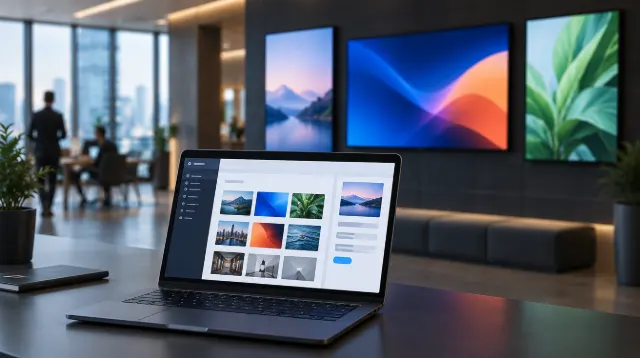
A modern café counter with wall-mounted digital menu screens
Illustration: LCD Business / AI-generated.

Key takeaways

  • You need four things: a screen, a media player, signage software and content.
  • Commercial screens and cloud software cost more upfront but save time and failures later.
  • Good content is simple: big text, few words, strong images and regular updates.
On this page

Digital signage has moved from airports and big-box stores to cafés, salons, clinics and gyms. A single screen can promote specials, cut perceived waiting times, update prices instantly and replace printed posters for good. Here’s how to set it up without overspending.

What you need

Every signage setup has four parts:

  1. A screen to display content.
  2. A media player that stores and plays the content. Many commercial screens have one built in.
  3. Signage software to design, schedule and update content, usually cloud-based.
  4. Content: menus, promotions, videos, social feeds or information.

Choosing the screen

  • Commercial vs consumer. Commercial displays are built for long operating hours, offer higher brightness and business warranties, and often support portrait mounting. More in our commercial vs consumer TV comparison. Consumer TVs are cheaper but may not be designed for all-day use.
  • Brightness. Indoor screens are typically fine at standard brightness. Screens facing windows or in bright stores need much higher brightness, often called high-bright models.
  • Size and viewing distance. Bigger isn’t always better. Choose a size readable from where customers stand, and test your content at that distance.
  • Orientation. Portrait screens suit menus and posters; landscape suits videos and wide layouts.
  • Technology. LCD is the standard for signage because static content can cause burn-in on OLED. See our comparison of LCD, OLED and Mini-LED.

Choosing the media player

  • Built-in (system-on-chip) players keep things simple, with no extra box to hide or fail.
  • External players, such as small Android, Linux or Windows devices, offer more power for video walls, interactive content or specialised software.
  • Streaming sticks can work for one simple screen, but check they’re supported by your signage software and reliable enough for daily use.

Choosing signage software

Most small businesses use cloud signage software on a monthly subscription per screen. Look for:

  • Easy templates for menus, promotions and announcements
  • Scheduling, so breakfast menus switch to lunch automatically
  • Remote updates across all your screens
  • Offline playback if the internet drops
  • Integrations with your POS, social media or spreadsheets
  • Screen health alerts

Content that works

  • Keep it short. A few words per slide; customers glance for seconds.
  • Big, high-contrast text readable from across the room.
  • One message per slide, with strong images.
  • Change it regularly so regular customers keep noticing.
  • Motion catches the eye, but don’t overdo it.
  • Put screens where people wait or decide: at the counter, queues and entrances.

Installation tips

  • Use a proper commercial mount rated for the screen’s weight, and a certified installer for walls and ceilings.
  • Plan power and network cabling first; wired internet is more reliable than Wi-Fi.
  • Allow airflow around the screen and media player to prevent overheating.
  • Keep screens and mounts clear of walkways, and consider accessibility guidelines for protruding objects.

What does it cost?

Costs vary widely by size, brand and region, but plan for these categories:

CostWhat it coversTypical pattern
ScreenCommercial display, by size and brightnessOne-off; high-bright models cost more
Media playerBuilt-in, or external deviceOne-off, if not built in
Mounting and installationBrackets, cabling, labourOne-off
SoftwareCloud signage subscriptionMonthly or yearly, per screen
ContentYour time, templates or a designerOngoing
MaintenanceRepairs, replacements, electricityOngoing

Get quotes for the whole system, and compare the total cost over three to five years, not just the price of the screen.

Measuring whether it works

Our guide to digital signage ROI shows how to put numbers on the results.

Track the items you promote on screen: sales before and after, uptake of specials, or questions staff no longer have to answer. Rotate content and keep what performs.

Frequently asked questions

Can I use a normal TV for digital signage?

For a single screen running a few hours a day, some businesses do. For longer hours, brightness and warranty protection, commercial displays are more reliable.

Do I need internet for digital signage?

Cloud software needs internet to update content, but good players keep playing saved content if the connection drops.

How big should my menu board screen be?

It depends on viewing distance and layout. Mock up your content at full size and check it’s readable from where customers stand.
Sources

  1. Digital Signage Federation
  2. Americans with Disabilities Act — design standards

Every article is edited by a human and checked against our editorial policy. Spotted a mistake? Tell us.

Keep reading