How LCD Screens Work: Backlights, Liquid Crystals and Polarizers Explained
How an LCD screen makes an image, layer by layer: backlight, polarizers, liquid crystals, transistors and color filters, plus TN, IPS and VA panels.

LCD, OLED and Mini-LED compared for business use: brightness, contrast, burn-in risk, lifespan and cost, with picks for signage, offices and retail.
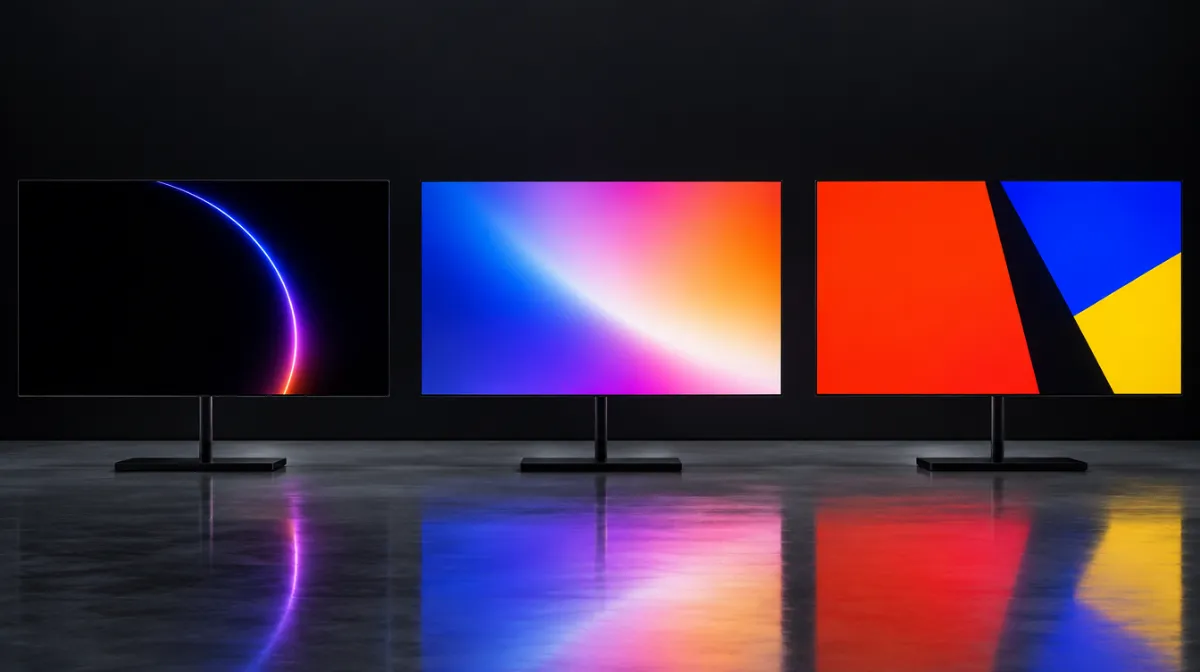
The screen that looks best in a showroom isn’t always the right screen for a restaurant menu board, a meeting room or a shop window. For business use, reliability, brightness and running costs often matter more than picture quality. Here is how the three main display technologies compare.
| LCD (LED-backlit) | Mini-LED | OLED | |
|---|---|---|---|
| How it makes light | Backlight behind a liquid crystal layer | Thousands of tiny LEDs in local dimming zones | Each pixel emits its own light |
| Black levels | Good | Very good | Perfect |
| Peak brightness | Good to very high (commercial models) | Very high | Moderate |
| Burn-in risk | Very low | Very low | Real risk with static content |
| Viewing angles | Depends on panel type (IPS best) | Depends on panel type | Excellent |
| Cost | Lowest | Mid to high | High |
| Best for | Signage, offices, menus, most business uses | Premium displays, bright rooms, HDR content | Showrooms, galleries, dim premium spaces |
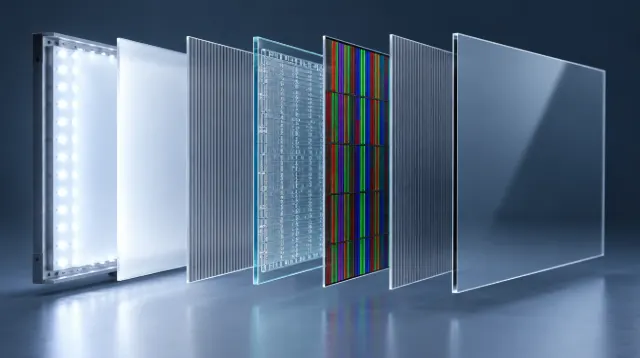
Almost every business screen, from meeting-room TVs to airport signage, is an LCD. A backlight shines through a liquid crystal layer that controls how much light reaches each pixel. We explain the layers in detail in how LCD screens work.
Why businesses choose LCD:
Trade-offs: blacks look grey in dark rooms, and cheaper panels have narrower viewing angles. IPS panels offer the best angles; VA panels offer better contrast.
OLED pixels produce their own light and switch off completely for black, giving infinite contrast and superb colour from any angle. Panels can be remarkably thin.
Where it shines: showrooms, galleries, luxury retail, hotel lobbies and anywhere the screen itself is part of the experience, especially in controlled lighting.
The catch: burn-in. Static elements shown for long periods, like logos, tickers, price lists or dashboards, can leave permanent ghost images. OLEDs also usually can’t match the brightness of commercial LCDs in bright spaces. Consumer OLED TVs aren’t designed for long daily operation with static content.
Mini-LED is still an LCD, but its backlight uses thousands of tiny LEDs grouped into local dimming zones. Zones can dim or brighten independently, so dark areas get much darker and bright highlights get brighter.
Pros: far better contrast than standard LCD, very high brightness and no burn-in risk. Cons: higher price, and in some content you may see “blooming”, a faint halo around bright objects on dark backgrounds.
Commercial LCD. Long hours, static content and bright environments make LCD the safe choice. See our digital signage guide for small businesses.
High-brightness commercial LCD. Direct sun washes out normal screens; window displays need much higher brightness and heat management.
LCD for most rooms. Interactive LCD displays work well for collaboration. OLED is rarely worth the premium here.
OLED for wow factor in controlled lighting, with varied content. Mini-LED if the space is bright.
Commercial LCD, rated for 24/7 operation. Avoid OLED for static dashboards.
Consumer TVs are cheaper but are typically designed for a few hours of daily use, and using them commercially can affect the warranty. Commercial displays are built for extended hours, often offer higher brightness and portrait mounting, and come with business warranties. For anything running more than a few hours a day, commercial is usually worth it.
Only for varied, moving content in controlled environments. For static menus, logos and dashboards, burn-in makes LCD the safer choice.
When contrast and brightness really matter, such as premium retail or bright lobbies, yes. For standard signage, a good commercial LCD is usually enough.
Nits measure screen brightness. Higher numbers mean brighter screens, which matters in sunny spaces and near windows.

Every article is edited by a human and checked against our editorial policy. Spotted a mistake? Tell us.
How an LCD screen makes an image, layer by layer: backlight, polarizers, liquid crystals, transistors and color filters, plus TN, IPS and VA panels.
Nits explained for business screens: typical brightness for indoor, window-facing and outdoor displays, heat and sunlight challenges, and energy use.
What OLED burn-in is, why static signage content is risky, how burn-in differs from image retention, prevention features and when OLED still makes sense.